From Teltonika Security Wiki
Immobilizers > IMB5 Installation Manual
IMB5 Installation Manual
IMB5 Vehicle Immobilizer
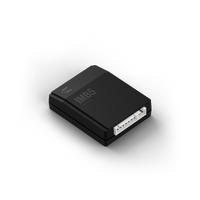
System Unit and ID card
|
| Purpose
|
Car theft prevention [cite: 9]
|
| Technology
|
2-way encrypted RF [cite: 14]
|
| Frequency
|
2.4 GHz [cite: 38]
|
| Temperature
|
-40°C to +85°C [cite: 34]
|
IMB5 Immobilizer Purpose
The purpose of the immobilizer "TELTONIKA IMB5" is car theft prevention.
- The driver is identified when the ID card is present inside the communication area.
- If no ID card is present, the device prevents engine start or shuts down the running engine.
- Up to 5 ID cards and one radio relay (IMB6) can be paired with the System unit.
Specifications
| Parameter |
Value
|
| Operating temperature range |
-40°C to +85°C
|
| Supply voltage |
9-15 VDC
|
| Average consumption current |
Up to 10 mA (at 12V)
|
| Average control distance |
2-4 meters
|
| Communication frequency |
2.4 GHz
|
| Pulse radiated power |
Up to 1 mW
|
Entering Service Mode
The Service Mode can be activated if the ID card is lost, the battery is discharged, or the car is being repaired. It is activated by entering a PIN code.
- Factory preset PIN: Printed on the immobilizer sticker.
- Entering PIN (Example 2113):
- Turn ignition ON/OFF and count System LED flashes (not ID card LED!).
- Wait for the LED to confirm each digit (maximum 2 seconds between actions).
Available Immobilizer Settings (FN Functions)
The IMB5 can be adjusted to specific vehicle requirements by changing these settings:
| FN |
Function |
SN (Setting Number) Description
|
| FN-11 |
End of FN settings |
Exits the setup mode.
|
| FN-21 |
Immobilization Signal |
SN-1: Signal ON 20s after ignition OFF. SN-2: Signal OFF.
|
| FN-22 |
Anti-Carjack |
SN-1: OFF. SN-2/3/4: Triggers by ignition ON or door opening without ID card.
|
| FN-45 |
Low Battery Warning |
SN-1: ON (4 double buzzer signals when ignition ON). SN-2: OFF.
|
| FN-51 |
OC1 Output Purpose |
Configures Optional Control 1 (Relay NC/NO, Alarm system link, etc.).
|
| FN-81 |
Change PIN code |
Used to change the system security PIN.
|
| FN-91 |
Factory Reset |
Restores default factory settings and the default PIN.
|
Wiring Diagram Connections
| Wire Color |
Connection / Function
|
| Black |
Ground (Car's body)
|
| Red |
+12V Battery
|
| Yellow |
Ignition switch
|
| Blue |
OC1 (Optional Control 1)
|
| Grey |
Buzzer
|
| Brown |
Authorization Button / Doors (-) Input
|
Pairing ID Cards
- Enter the PIN code for IMB5.
- Within the 2-second interval when the LED blinks with triple flashes, turn the ignition ON and OFF.
- Press and hold the button on the new ID card (must be in passive/orange mode).
- A 1-second flash indicates the ID card is successfully paired.
- Note: All previously paired ID cards are deleted when the first new one is paired.
Safety Warning
The user MUST change the PIN code after the installation and do not save it inside the car.

